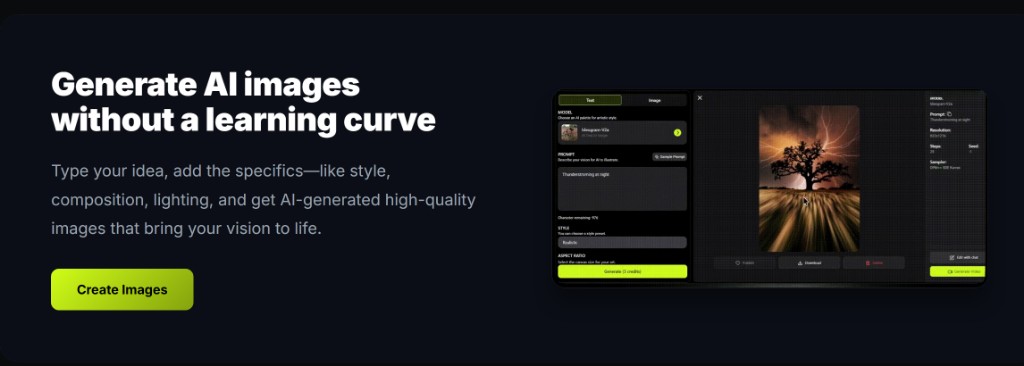
The workspace is the product. Everything else is a landing page pointing back to this AI image generator.
Mode, model, style, credits — then generate.
What sits in the workspace chrome?
Mode tabs, model selector, style controls, aspect ratio, and the credit display.
If you cannot see credits, do not generate a batch. The meter is how the AI image generator stays honest.
When a still is close, prefer image to image to keep composition while you change lighting, background, or crop intent. Regenerating from a blank text to image prompt usually costs more exploratory credits.
Record what worked: model name, ratio, and the exact prompt line that survived review. That notebook becomes your reusable playbook across ecommerce, social, and concept batches.
On deep-imager, treat the AI image generator as a credit-aware studio: lock aspect ratio, pick the model, then write the prompt so text to image spends once on a usable frame.
How do you move from text to image to image to image?
Switch the mode tab and upload a reference; the prompt box can stay.
That is the point versus opening a second website.
When a still is close, prefer image to image to keep composition while you change lighting, background, or crop intent. Regenerating from a blank text to image prompt usually costs more exploratory credits.
Record what worked: model name, ratio, and the exact prompt line that survived review. That notebook becomes your reusable playbook across ecommerce, social, and concept batches.
On deep-imager, treat the AI image generator as a credit-aware studio: lock aspect ratio, pick the model, then write the prompt so text to image spends once on a usable frame.
Where does video live?
Video mode with Sora 2 or Veo 3, same account and credit wallet.
Draft a keyframe as a still if you want cheaper iteration first.
When a still is close, prefer image to image to keep composition while you change lighting, background, or crop intent. Regenerating from a blank text to image prompt usually costs more exploratory credits.
Record what worked: model name, ratio, and the exact prompt line that survived review. That notebook becomes your reusable playbook across ecommerce, social, and concept batches.
On deep-imager, treat the AI image generator as a credit-aware studio: lock aspect ratio, pick the model, then write the prompt so text to image spends once on a usable frame.
What numbers should you know before the first click?
5 free credits; Basic $1/month for 10 credits; stills often 30 seconds–2 minutes.
Read how credits work if a video model prices differently from a still.
When a still is close, prefer image to image to keep composition while you change lighting, background, or crop intent. Regenerating from a blank text to image prompt usually costs more exploratory credits.
Record what worked: model name, ratio, and the exact prompt line that survived review. That notebook becomes your reusable playbook across ecommerce, social, and concept batches.
On deep-imager, treat the AI image generator as a credit-aware studio: lock aspect ratio, pick the model, then write the prompt so text to image spends once on a usable frame.
How do you keep quality high without wasting credits?
Lock ratio first, run one strong text to image pass, then refine with image to image instead of endless fresh prompts.
Before you click Generate, confirm the credit cost on the button and the aspect ratio for the channel you will actually publish to.
If the model returns a safety or policy error, rewrite the prompt without protected names or sensitive requests rather than retrying the same blocked wording.
For team handoff, save the winner still and the prompt in your dashboard history so the next editor can Make Same or continue with image to image.
On deep-imager, treat the AI image generator as a credit-aware studio: lock aspect ratio, pick the model, then write the prompt so text to image spends once on a usable frame.
Start in text to image or image to image, pick a model such as GPT-4o image, then check pricing from $1/month and how credits work before a long run.