deep-imager AI Image Generator: Digital Ownership

|

In the evolving conversation regarding AI and copyright, Deep-Imager takes a stand that empowers its user base. One of the most significant hurdles for creators using generative AI has been the ambiguity of ownership. Deep-Imager clarifies this by granting commercial rights to paid users, effectively transforming generated pixels into legitimate digital assets. As an AI image generator with clear ownership policies, deep-imager sets a new standard. Read the terms and how credits work.

From Experimentation to Real Business Assets

This policy is a game-changer for freelancers and small business owners. It means that a logo concept, a book cover, or a marketing visual generated on the platform can be legally monetized. This shifts the platform from being a mere novelty to a legitimate business tool.
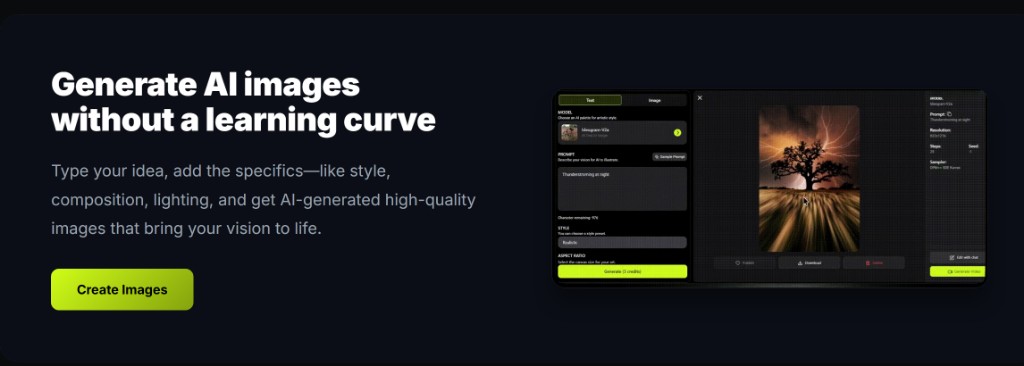
deep-imager AI image generator workspace: mode tabs, model selector, style controls, and credit display
The deep-imager workspace — switch between text to image and image to image modes, pick a model, and generate in one place.

Clean Output for Professional Delivery

Furthermore, the absence of watermarks on generated images—particularly for subscribers—ensures that the final product is clean and professional. In a marketplace where presentation is everything, the ability to download high-resolution, watermark-free images is a necessity, not a luxury.
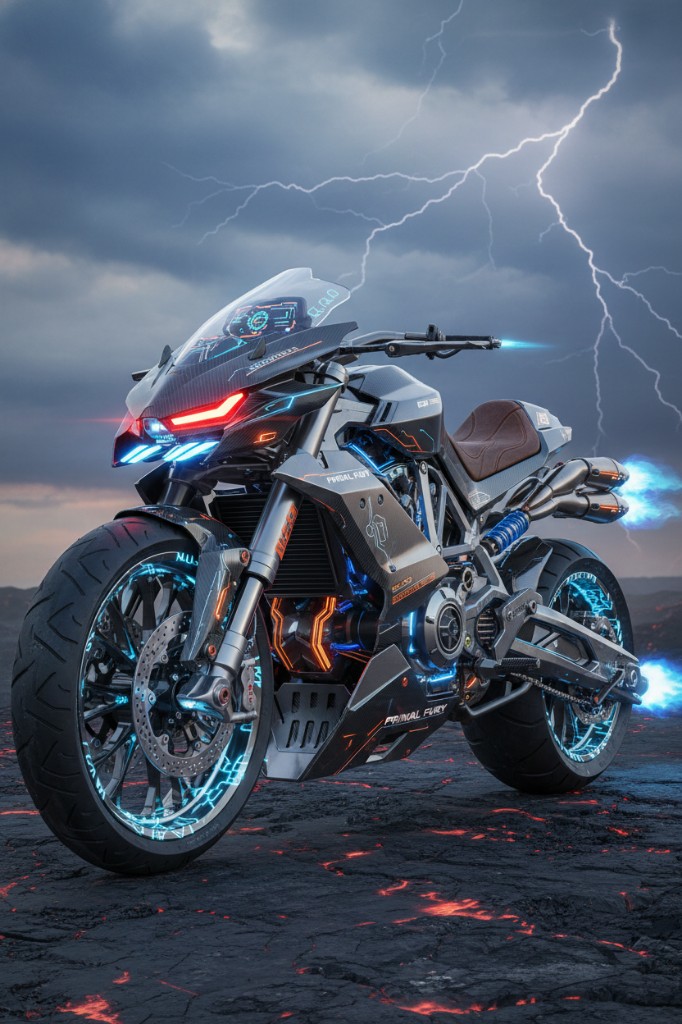
Text to image output in deep-imager for commercial-ready visual assets
Text to image output that can be exported watermark-free for paid commercial use.

Ownership With an Open Creative Ecosystem

Deep-Imager also fosters a sense of community through its public gallery. While users retain ownership, the ability to see what others are creating fosters inspiration and shared learning. It creates an ecosystem where the barrier to entry is low, but the potential for professional output is high. Whether you use text to image for fresh concepts or image to image for iterative refinement, every asset you create is yours. By democratizing access to high-end AI models such as GPT-4o image, Deep-Imager is not just generating images; it is generating opportunity.

How do text to image and image to image fit the same brief?

Use text to image when you need a new composition. Use image to image when the framing is already right and you only need lighting, background, or style changes. On deep-imager both modes share the same credit balance and aspect-ratio controls, so you can finish a campaign without leaving the AI image generator.

For public examples, follow gallery moderation rules and keep trademarked brand marks out of prompts unless you have rights. Contact support to report issues. See how credits work.

Operational note: on deep-imager, finish stills with text to image and image to image before spending video credits. Keep Publicly visible off for client drafts, and use Contact to report gallery policy issues. This keeps the AI image generator workflow credit-aware and policy-safe.

How does this workflow save credits on deep-imager?

Lock the aspect ratio before text to image so the AI image generator composes for the crop you will publish. Read the credit cost on Generate, run one strong pass, then refine with image to image instead of opening five vague retries.

Keep client drafts Private. Enable Publicly visible only when the still is ready for moderated gallery listing. Report abusive gallery posts from the detail page or via the Contact page.

What should you check before you download?

Open the preview in the message center, confirm edges and typography, and match the ratio to the channel. If the still is close, steer lighting or background with image to image rather than rewriting the entire brief.

deep-imager is an independent AI image generator. Third-party model names describe access, style compatibility, or comparisons only — not affiliation. See also how credits work and the user guide.

Additional practice: keep a short prompt log (model, ratio, credits spent) so the next deep-imager session reuses winning text to image lines and image to image edits instead of re-exploring from zero. That habit is the fastest path to 800+ words of operational value across your own campaign notes and public guides.