Daily check-in on deep-imager adds a small same-day credit grant so you can run the AI image generator without opening pricing first.
2 credits, once per day, use them before midnight — then generate.
Where do you claim the daily check-in?
Open Rewards in the top nav, or go to the dashboard check-in section, and tap the check-in button once per calendar day.
The entry is /dashboard#checkin. You must be logged in. A second tap the same day does not stack another grant.
Check-in credits land in the same wallet the workspace reads before generate. They are not a separate currency from paid or signup credits.
Record what worked: model name, ratio, and the exact prompt line that survived review. That notebook becomes your reusable playbook across ecommerce, social, and concept batches.
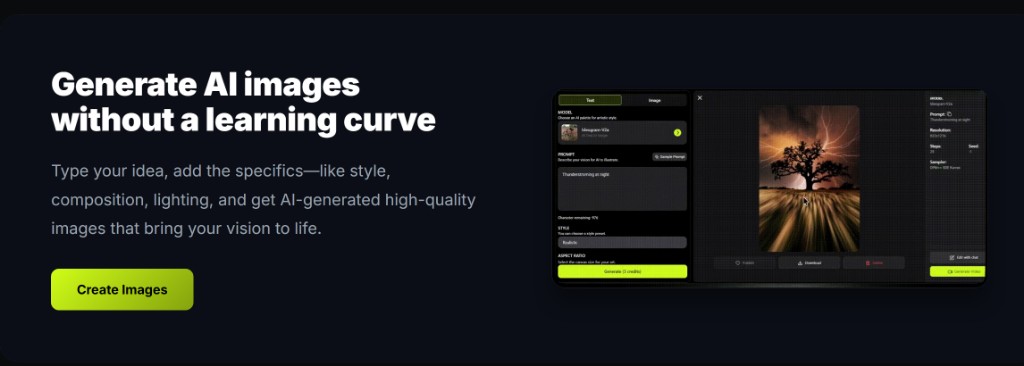
On deep-imager, treat the AI image generator as a credit-aware studio: lock aspect ratio, pick the model, then write the prompt so text to image spends once on a usable frame.
How many credits does check-in give, and how long do they last?
The reward is 2 credits, and the batch expires at the next day’s 00:00 — use them the same day.
That is separate from the 5 free credits new accounts get on signup. Paid packs on pricing from $1/month last 1 month from the date they are added; check-in does not.
If you claim and walk away, the 2 credits will not be there tomorrow. Plan one text to image or one image to image before midnight.
Record what worked: model name, ratio, and the exact prompt line that survived review. That notebook becomes your reusable playbook across ecommerce, social, and concept batches.
On deep-imager, treat the AI image generator as a credit-aware studio: lock aspect ratio, pick the model, then write the prompt so text to image spends once on a usable frame.
- Claim once after login.
- Read the Generate button cost before you click.
- Spend the same day; do not bank check-in credits.
What should you spend the 2 credits on?
One still and one small correction — or two first drafts — not a video marathon.
A tight text to image, then an image to image fix, fits the grant when the model costs 1 credit per still. Video models usually cost more; check the Generate button and how credits work before you switch to Sora 2 or Veo 3.
For a cheap still lane, Nano Banana keeps the queue light. Layout-heavy posters can use GPT-4o image if the button cost still fits the balance.
Record what worked: model name, ratio, and the exact prompt line that survived review. That notebook becomes your reusable playbook across ecommerce, social, and concept batches.
On deep-imager, treat the AI image generator as a credit-aware studio: lock aspect ratio, pick the model, then write the prompt so text to image spends once on a usable frame.
How does check-in sit next to paid plans?
Check-in is a daily top-up; paid plans buy larger monthly packs when 2 credits are not enough.
Basic is $1/month for 10 credits; Advanced is $9.99 for 120; Professional is $19.99 for 300. Failed jobs that the product marks failed return the credit. Typical still time is 30 seconds–2 minutes.
Do not open pricing just to burn unused check-in credits. Generate first, then buy a plan only if the next session needs more than the remaining balance.
Record what worked: model name, ratio, and the exact prompt line that survived review. That notebook becomes your reusable playbook across ecommerce, social, and concept batches.
On deep-imager, treat the AI image generator as a credit-aware studio: lock aspect ratio, pick the model, then write the prompt so text to image spends once on a usable frame.
| Source | Amount | Validity |
|---|---|---|
| Signup trial | 5 credits | Product wallet rules |
| Daily check-in | 2 credits | Until next midnight |
| Basic plan | 10 credits / month | 1 month from add |
| Advanced / Professional | 120 / 300 | 1 month from add |
How do you keep quality high without wasting credits?
Lock ratio first, run one strong text to image pass, then refine with image to image instead of endless fresh prompts.
Before you click Generate, confirm the credit cost on the button and the aspect ratio for the channel you will actually publish to.
If the model returns a safety or policy error, rewrite the prompt without protected names or sensitive requests rather than retrying the same blocked wording.
For team handoff, save the winner still and the prompt in your dashboard history so the next editor can Make Same or continue with image to image.
On deep-imager, treat the AI image generator as a credit-aware studio: lock aspect ratio, pick the model, then write the prompt so text to image spends once on a usable frame.