deep-imager AI Image Generator Review: Enhancer and Workspace

|

In the fast-paced world of digital content, image quality is everything. Whether you are an e-commerce seller needing crisp product photos, a photographer restoring vintage memories, or a designer seeking creative inspiration, Deep-Imager is the AI-powered solution you have been waiting for. This platform combines advanced deep learning with a user-friendly interface to deliver professional-grade results in seconds.
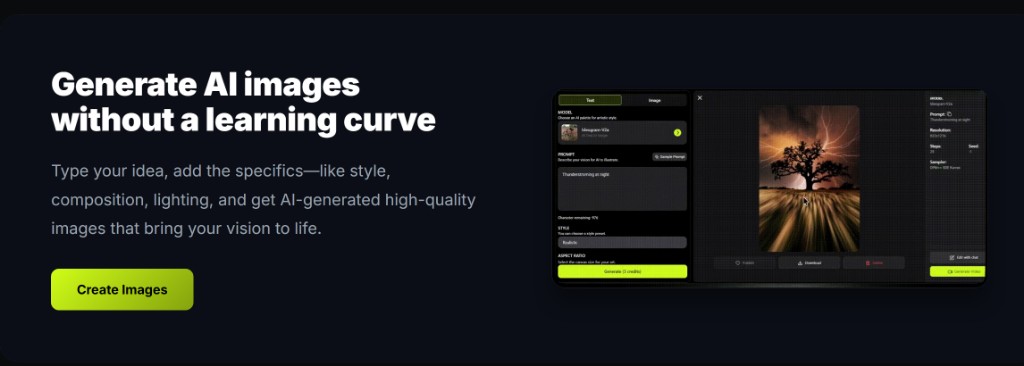
deep-imager AI image generator workspace: mode tabs, model selector, style controls, and credit display
The deep-imager workspace — switch between text to image and image to image modes, pick a model, and generate in one place.

Why Choose Deep-Imager?

Deep-Imager stands out as a comprehensive visual toolkit designed to solve the most common image challenges.

  • AI Image Upscaling: Say goodbye to pixelation. Deep-Imager’s intelligent super-resolution technology analyzes your images and predicts missing details, allowing you to enlarge photos up to 4K or 8K without losing clarity. It transforms blurry thumbnails into sharp, high-definition visuals perfect for printing or large displays.
  • Smart Noise Reduction: Struggling with grainy photos taken in low light? Our AI noise reduction algorithm removes digital noise while preserving essential textures like skin pores and fabric weaves, ensuring your images look natural and clean.
  • Precision Background Removal: Ideal for e-commerce and marketing, Deep-Imager automatically detects subjects and removes backgrounds with hair-level accuracy. You can instantly replace backgrounds with solid colors or custom scenes, streamlining your product listing workflow.
  • AI Image Generation: Beyond editing, Deep-Imager empowers you to create from scratch. Use our text-to-image generator to turn simple prompts into stunning artwork, expanding your creative possibilities without needing complex design skills.
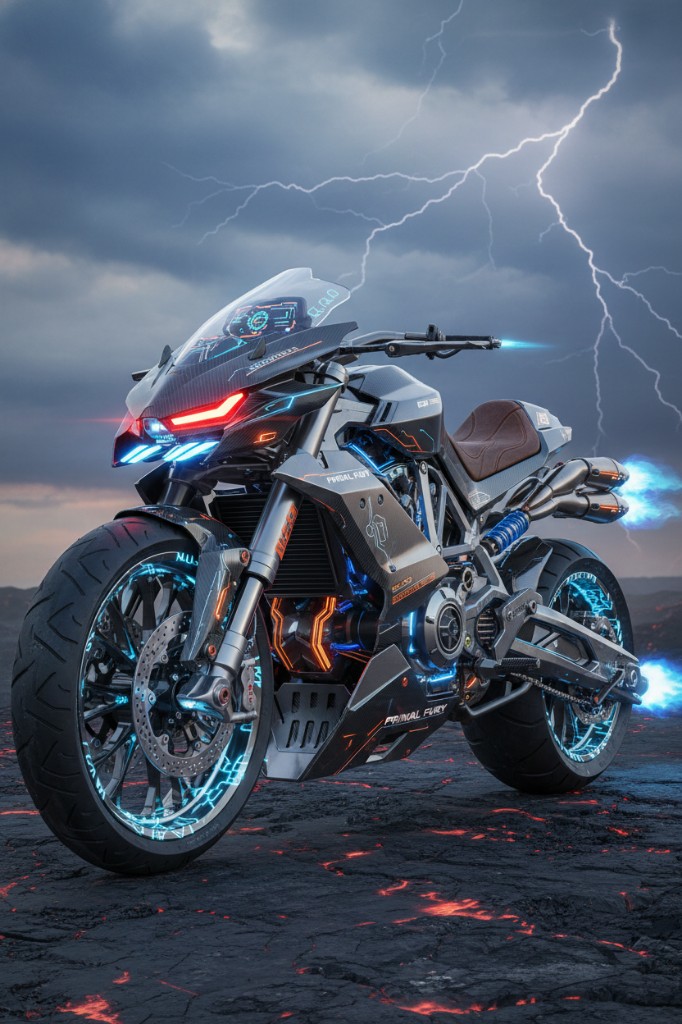
Text to image example: a prompt and the AI-generated artwork produced by deep-imager
A text to image result — type a prompt and the AI image generator turns it into a finished visual.

Boost Your Workflow Efficiency

Deep-Imager is not just powerful; it is efficient. The platform supports batch processing, allowing you to enhance hundreds of images simultaneously. This feature is a game-changer for businesses handling large inventories, saving hours of manual editing time.

Do not let low resolution or poor lighting hold your content back. Experience the future of photo editing with deep-imager—the all-in-one AI image generator that makes professional image enhancement accessible to everyone. See all tools, GPT-4o image, and pricing.

How do text to image and image to image fit the same brief?

Use text to image when you need a new composition. Use image to image when the framing is already right and you only need lighting, background, or style changes. On deep-imager both modes share the same credit balance and aspect-ratio controls, so you can finish a campaign without leaving the AI image generator.

For public examples, follow gallery moderation rules and keep trademarked brand marks out of prompts unless you have rights. Contact support to report issues. See how credits work.

Operational note: on deep-imager, finish stills with text to image and image to image before spending video credits. Keep Publicly visible off for client drafts, and use Contact to report gallery policy issues. This keeps the AI image generator workflow credit-aware and policy-safe.

How does this workflow save credits on deep-imager?

Lock the aspect ratio before text to image so the AI image generator composes for the crop you will publish. Read the credit cost on Generate, run one strong pass, then refine with image to image instead of opening five vague retries.

Keep client drafts Private. Enable Publicly visible only when the still is ready for moderated gallery listing. Report abusive gallery posts from the detail page or via the Contact page.

What should you check before you download?

Open the preview in the message center, confirm edges and typography, and match the ratio to the channel. If the still is close, steer lighting or background with image to image rather than rewriting the entire brief.

deep-imager is an independent AI image generator. Third-party model names describe access, style compatibility, or comparisons only — not affiliation. See also how credits work and the user guide.

Additional practice: keep a short prompt log (model, ratio, credits spent) so the next deep-imager session reuses winning text to image lines and image to image edits instead of re-exploring from zero. That habit is the fastest path to 800+ words of operational value across your own campaign notes and public guides.