Batch image count on the deep-imager AI image generator multiplies the model’s credit cost — the Generate button shows the total before you confirm.
Lock the brief at quantity 1. Raise the count only when one still would waste less than five.
How does image count change the credit total?
Total credits equal the selected model’s credits per image multiplied by the image count you pick.
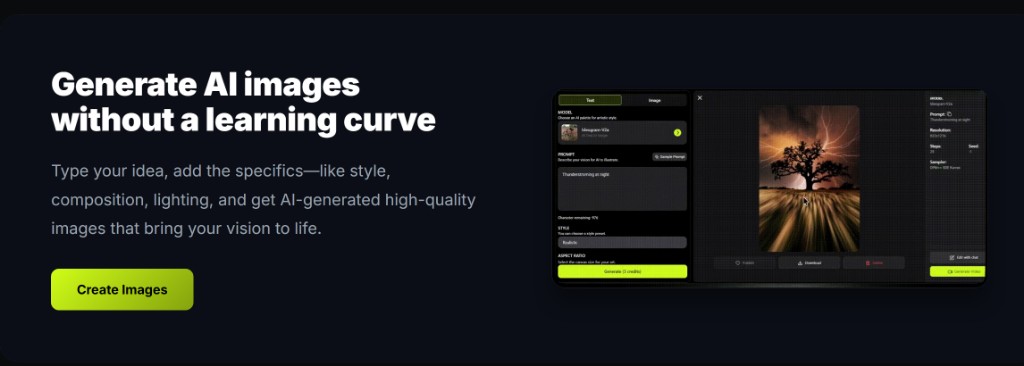
The workspace Image count control lists the quantities that model supports — often 1, 2, 3, or 5. The Generate button updates live when you change model or count.
Read that number before you click. A 2-credit model at quantity 5 spends 10 credits in one submit, the same wallet as five separate text to image runs.
Record what worked: model name, ratio, and the exact prompt line that survived review. That notebook becomes your reusable playbook across ecommerce, social, and concept batches.
On deep-imager, treat the AI image generator as a credit-aware studio: lock aspect ratio, pick the model, then write the prompt so text to image spends once on a usable frame.
When should you keep quantity at 1?
Keep quantity at 1 until the prompt, model, and aspect ratio are proven on a single still.
A first text to image draft should prove subject and framing. If the still misses, edit one clause and generate again — do not buy four more copies of the same miss.
For a cheap proof lane, pick Nano Banana. Move to GPT-4o image only when the button cost still fits and you need layout or readable type.
Record what worked: model name, ratio, and the exact prompt line that survived review. That notebook becomes your reusable playbook across ecommerce, social, and concept batches.
On deep-imager, treat the AI image generator as a credit-aware studio: lock aspect ratio, pick the model, then write the prompt so text to image spends once on a usable frame.
- Lock aspect ratio before you raise count.
- Change one variable after a miss — prompt or model, not both.
- Stop the batch if the first still in a set is already wrong.
When is a batch better than image to image?
Use a small batch when you need several peers of the same brief; use image to image when one still is close and only one detail must change.
Image to image keeps composition from an upload. Quantity multiplies that path too when the model exposes it — so a three-image remix still costs three times the per-image rate.
Social crops and listing variants are covered on the social media and product photo pages. Do not raise count just to fish for a different aspect ratio — set the ratio first.
Record what worked: model name, ratio, and the exact prompt line that survived review. That notebook becomes your reusable playbook across ecommerce, social, and concept batches.
On deep-imager, treat the AI image generator as a credit-aware studio: lock aspect ratio, pick the model, then write the prompt so text to image spends once on a usable frame.
How far do free and paid credits go with batches?
Five signup credits buy five quantity-1 stills, or one quantity-5 batch if the model costs 1 credit each — check the button.
New accounts have 5 free credits. Daily check-in adds 2 same-day credits. Pricing from $1/month lists Basic at 10 credits, Advanced at $9.99 for 120, and Professional at $19.99 for 300.
Failed jobs that the product marks failed return the credit. Typical still time is 30 seconds–2 minutes. Read how credits work for live per-model rates.
Record what worked: model name, ratio, and the exact prompt line that survived review. That notebook becomes your reusable playbook across ecommerce, social, and concept batches.
On deep-imager, treat the AI image generator as a credit-aware studio: lock aspect ratio, pick the model, then write the prompt so text to image spends once on a usable frame.
| Quantity | If model is 1 credit | If model is 2 credits |
|---|---|---|
| 1 | 1 credit | 2 credits |
| 2 | 2 credits | 4 credits |
| 3 | 3 credits | 6 credits |
| 5 | 5 credits | 10 credits |
How do you keep quality high without wasting credits?
Lock ratio first, run one strong text to image pass, then refine with image to image instead of endless fresh prompts.
Before you click Generate, confirm the credit cost on the button and the aspect ratio for the channel you will actually publish to.
If the model returns a safety or policy error, rewrite the prompt without protected names or sensitive requests rather than retrying the same blocked wording.
For team handoff, save the winner still and the prompt in your dashboard history so the next editor can Make Same or continue with image to image.
On deep-imager, treat the AI image generator as a credit-aware studio: lock aspect ratio, pick the model, then write the prompt so text to image spends once on a usable frame.